
recording
How to record Shorts and Reels with a teleprompter on iPhone
Camera settings, script length, where to put the text and how to handle retakes when you film Shorts, Reels or TikToks with a teleprompter on iPhone.
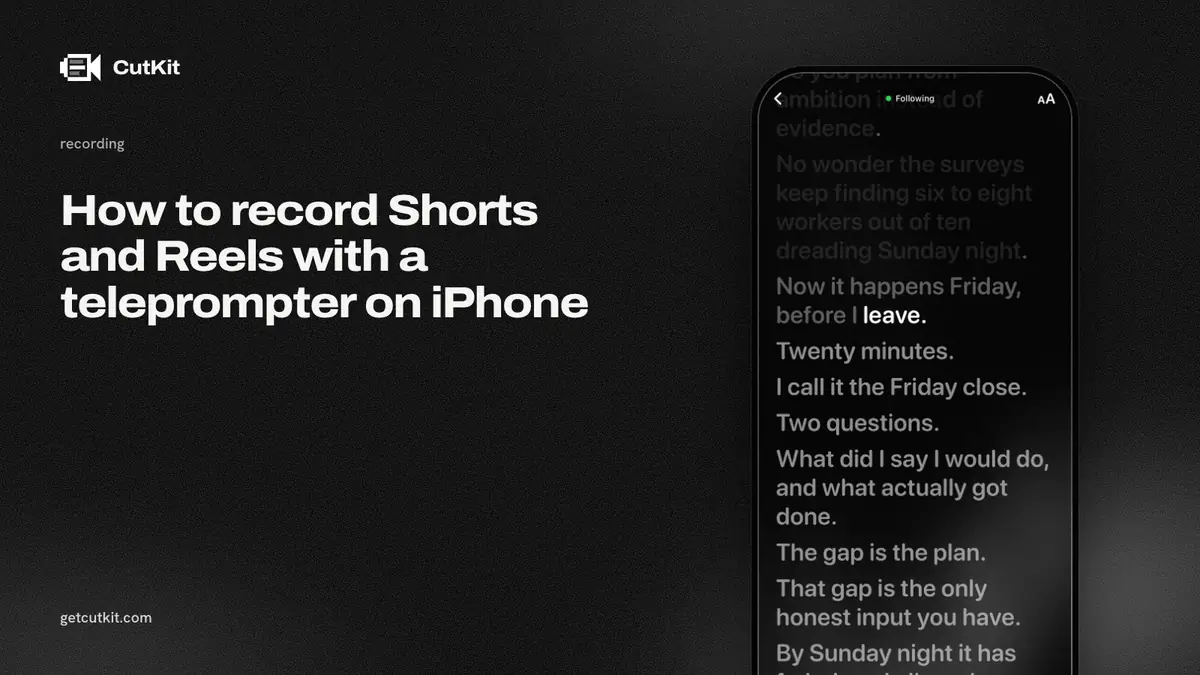
To record a Short, Reel or TikTok with a teleprompter on iPhone, film vertical, put the scrolling script as close to the lens as the app allows, set the camera to 4K at 30 frames per second before you start, and read from a script you wrote to be spoken. Do one long take with the retakes left in, then cut them afterward.
The teleprompter part is easy. The parts that go wrong are the ones around it: a script that sounds like an email, eyes that visibly slide across the screen, footage recompressed by the app, and an evening spent cutting a 45-second clip.
Short answer: shoot vertical at 4K 30 in your own camera settings, write for speaking at about 130 to 160 words a minute, keep the text near the lens with a voice-following scroll, and cut retakes in one pass at the end.
Step 1: write a script that sounds like you talking
Read it out loud before it goes in any app. If you trip on a sentence, the audience will hear you tripping, so rewrite the sentence.
- Short sentences. One idea, then stop. Long ones make you slow down or lose the end.
- Say the hook first. That opening line decides whether anyone stays. Open on the problem or the result, not “hey guys”.
- Length. Most people speak around 130 to 160 words a minute. A 45-second Short is roughly 100 to 120 words. Write to that, then time yourself.
- Contractions and plain words. “It’s” reads like speech, “it is” reads like a form.
- Mark the pauses. A line break where you’d breathe. It helps you and it helps a voice-following app.
If you write scripts with Claude or in Apple Notes, that’s fine. Read them aloud and edit them until they sound like you, because the phone won’t do that for you.
Step 2: set the camera before you open the teleprompter
Do this in the iPhone’s Settings app, under Camera, before you film. An app that records through the camera will use what you choose.
- Resolution and frame rate: under Record Video, choose 4K at 30 fps for talking-head video. 60 fps looks smoother but doubles the data for little gain when the subject is a face.
- Under Formats, the HEVC option gives smaller files. Most Compatible (H.264) gives bigger files that older software opens more easily. If you’re posting from the phone, HEVC is fine.
- HDR: iPhone can record HDR video. It looks better on recent screens, but some editors and older platforms flatten it. If a clip looks washed out after upload, this is usually why. See how to record teleprompter video in 4K HDR for the checks.
- Storage: the Record Video screen shows roughly how many megabytes a minute each option takes. Read it before you shoot 10 takes on a nearly full phone.
Then, in the Camera app or your teleprompter app, tap on your face to set focus and exposure, and hold to lock them. Otherwise the camera hunts for focus when you lean.
Step 3: frame it vertical, and mind the edges
Shorts, Reels and TikToks are 9:16. Turn the phone upright and shoot that way from the start. Cropping a horizontal clip later throws away most of the picture.
Platforms put buttons, captions and your username over the video. They cover the bottom and the right side most of all. Keep your face in the upper middle, and don’t put important on-screen text at the bottom or the far right edge.
Use the rear camera if you can frame yourself. It’s better than the front one. If you can’t see yourself, use the front camera and accept the quality drop, or put a small mirror behind the phone. For a first try, the front camera is fine.
Step 4: put the script at the lens
The reason people look bored reading is that their eyes move. A wide script shifts your gaze left and right on each line.
- Text near the camera. Put the script at the very top of the screen, under the front lens, with narrow lines. Your eyes barely move.
- Text size. Big enough to read from where you sit. If you’re leaning in to read, it’s too small.
- Distance. An arm’s length or a little more, on a tripod or stack of books. Holding it in your hand adds wobble.
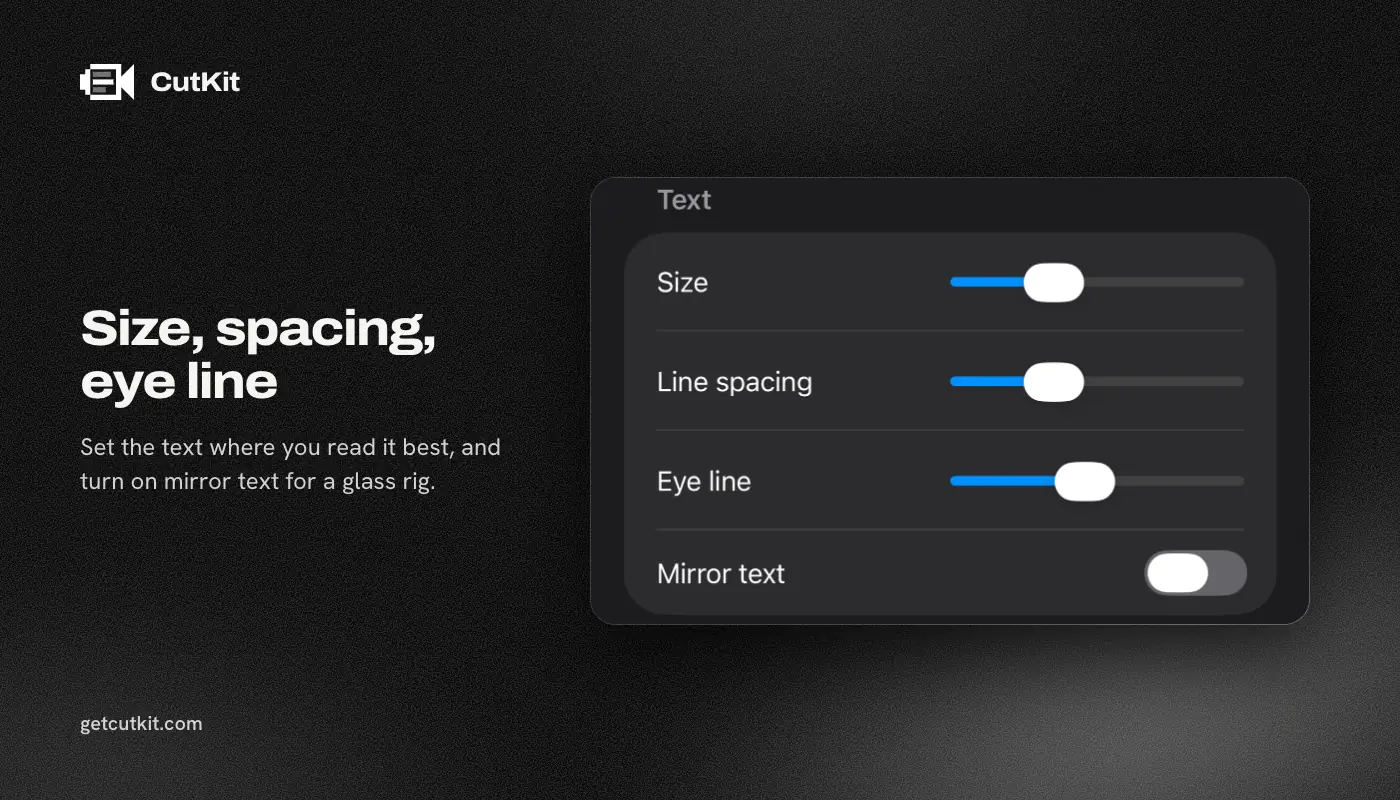
- Mirror text. You only need it if you’re using a glass-and-mirror teleprompter rig. For a phone on a tripod, leave it off. One September 2026 review of an app complains it charges for mirroring on its free tier, so if you do need it, check it’s free before shoot day.
Step 5: turn on voice follow, or set the speed properly
A fixed speed forces you to read at the app’s pace. If you can, use voice follow, so the text waits when you pause and speeds up when you do. There’s more on that in our guide to voice-following teleprompters.
If you use a fixed speed, set it by reading the whole script once out loud with a timer. Set the speed, then add a little slack, because you’ll slow down on the important line.
Step 6: record one take, and don’t stop for mistakes
This is the step that saves the most time. When you flub a line, don’t stop and restart the whole thing. Pause a second, say the line again properly, and carry on. That’s a retake, and you’ll cut it out later.
Some tips for the take itself:
- On the last word of each sentence, look at the lens. The text can wait.
- Smile before you speak. It changes your voice.
- Leave a beat of silence at the start and end. It’s easier to trim.
- Record the audio in a quiet room. iPhone microphones pick up fans and traffic, and no edit removes that well.
Step 7: cut the retakes
You’ll have false starts, repeated lines, ums and long pauses. There are 3 ways to cut them: by hand in a timeline, with a transcript editor like Descript, which is a cloud app with an account, or automatically on the phone. Editing by hand is precise and slow. Transcript editors are fast and upload your video.
For a 45-second clip, the automatic cut is often enough. See how to cut filler words on iPhone for the differences and what to check by hand.
The same flow in CutKit
CutKit is the app we build, so this is how it does those steps. It’s in TestFlight beta, needs iOS 27 or later, and is iPhone only.
- Get the script in. Paste it, send it from Claude over MCP, or pull it from Apple Notes through Shortcuts.
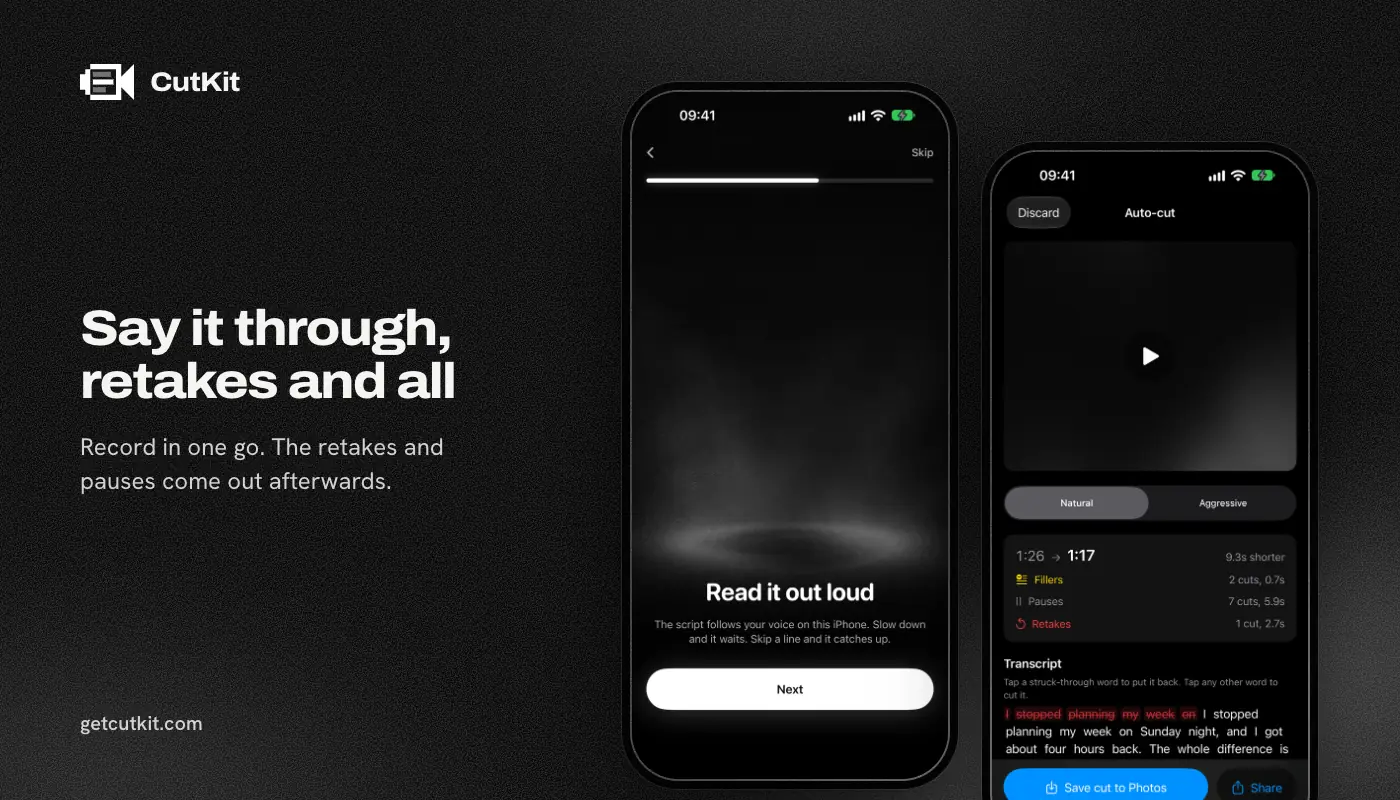
- Start the take. Press the Camera Control button, or tap record. The script follows your voice, and the recognition runs on the phone.
- Say it through, retakes and all. It records in the camera’s native format, 4K 10-bit HDR HEVC with stereo audio, and saves to Photos.
- End the take with Camera Control. CutKit cuts retakes, false starts, filler words in English and French, and long pauses, on the phone. Pick Natural or Aggressive pace.
- Review. Watch the cuts and tap to restore any that shouldn’t be gone.
- Export. Nothing gets re-encoded, so the file that lands in Photos is at the camera’s quality. Post it from there.
Nothing is uploaded and there’s no account. There’s no free plan, just a 7-day free trial, and exports during the trial carry a small CutKit watermark. After that Pro is $9.99 a month, $59.99 a year or $149.99 lifetime.
Where it’s weaker: it cuts and stops there. No timeline, captions, B-roll or effects. If you want captions burned in, you’ll add them in another app. Compare your options in the best teleprompter apps for iPhone. To try CutKit, sign up for the beta on the home page.
Common problems and the quick fix
- You look like you’re reading. Move the text closer to the lens and narrow the lines. Read the last word of each sentence to the camera.
- The scroll lags. Slow down a touch, or switch from a fixed speed to voice follow.
- Clip looks flat or washed out after posting. It’s probably HDR shown on a platform that flattens it. Try posting a non-HDR version.
- Audio has a hum. Turn off the fan or air conditioning. It can’t be fixed later.
- Your phone gets warm and dims. 4K in a hot room does that. Shoot shorter takes or use 1080p.
- Background changes brightness. You didn’t lock exposure. Tap and hold on your face.
Frequently asked questions
What’s the best teleprompter app to record Shorts and Reels?
The best one is the one that follows your voice, records at the quality you need and doesn’t paywall basics you need on shoot day. Our roundup compares 10 with prices as of September 2026. Instagram and TikTok also have free built-in teleprompters if you record inside their apps.
Should I record in 4K for a Short?
If your phone and storage can handle it, yes. It gives you room to crop and reframe, and the platforms downscale anyway. If a clip is going only to a phone screen and storage is tight, 1080p is fine.
How long should a Short script be?
Roughly 100 to 120 words for 45 seconds, since most people speak around 130 to 160 words a minute. Read it aloud with a timer and cut anything you stumble over.
Can I use a teleprompter with the front camera?
Yes. The front camera has lower quality than the rear, but you can see yourself and the text sits close to the lens. For rear-camera shooting you need a mirror or a second person, so the front is where most people start.